I led the end-to-end design of Trouva’s live shopping experience — defining how admins, creators, boutiques, and shoppers interact in real-time commerce. The goal was to create a scalable foundation for social commerce while delivering an MVP for testing with the Trouva creative community.
Client
Trouva
Industry
eCommerce
Role
Product Designer
Timeframe
Q3-Q4 2023
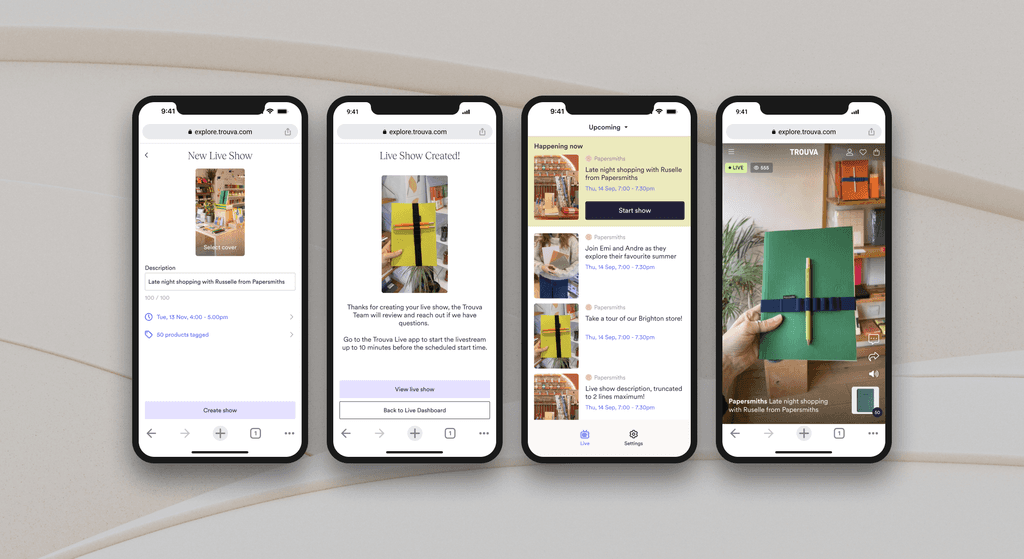
Trouva’s 2023 social commerce strategy aimed to connect its boutique and creator network with shoppers through video content. Following the success of short videos, the next step was live shopping — enabling hosts to stream, sell, and interact in real time.
Goal: Boost sales and engagement on the platform by fostering an online community.
Research and insights
Trouva’s early user interviews revealed strong enthusiasm:
As Senior Product Designer, I had to define and deliver the end-to-end live shopping experience, working holistically across all user groups and touchpoints. One of the key challenges was balancing distinct needs across the three core users:
Trouva Admins — manage live shows and ensure stream stability.
Boutiques & Creators — host and curate live events.
Shoppers — watch, shop, and engage without friction.

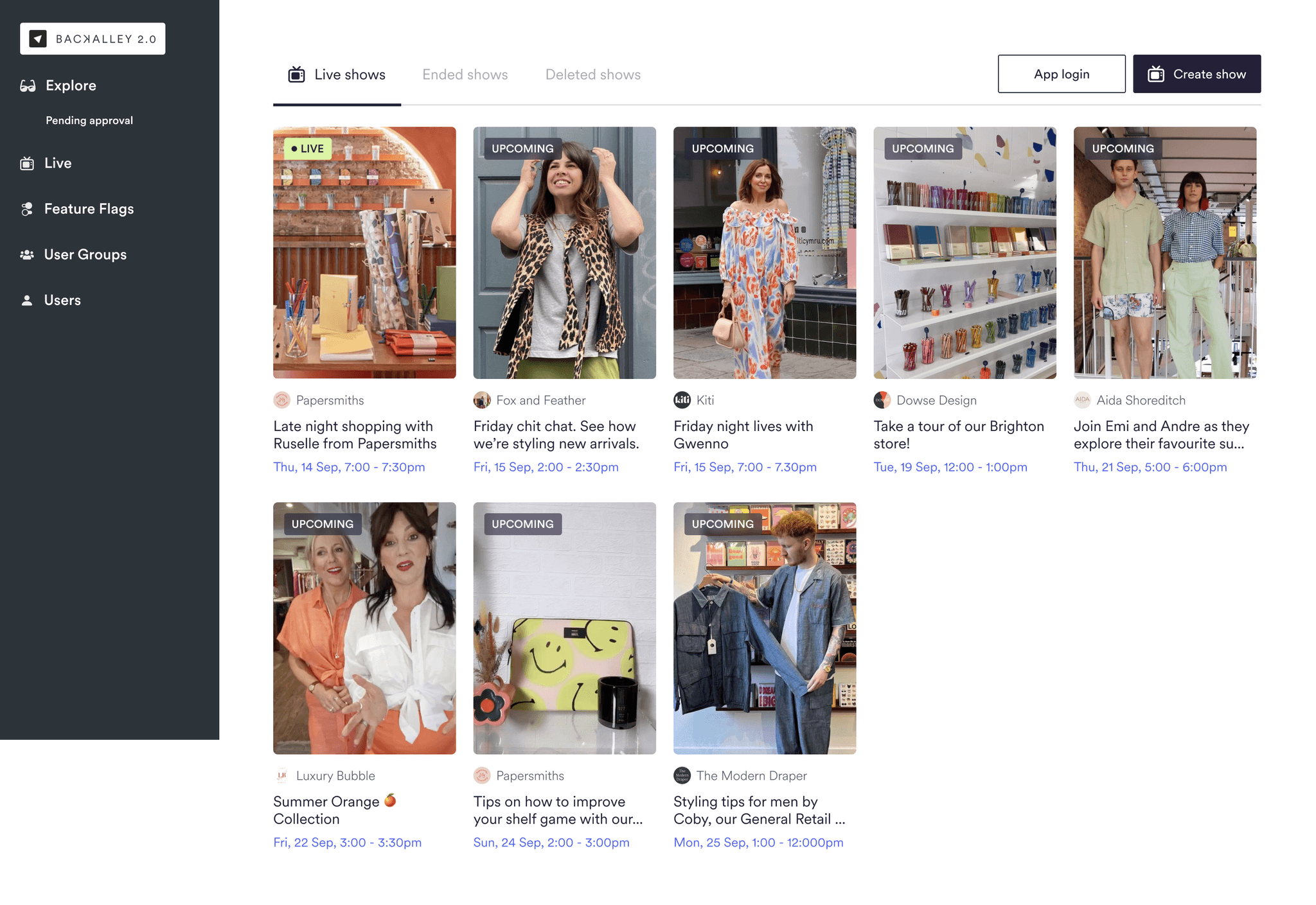
Internal platform
Admins managed all early live shows, so I designed a Live Events section in Trouva’s internal tool (“Backalley”) to:
Create and edit live shows for any host.
Schedule events with flexible time zones.
Tag products and manage visibility.
Monitor shows via a simple, status-based dashboard.
iOS app
I also designed an iOS companion app to stream shows. Through MVP testing, we refined the experience with:
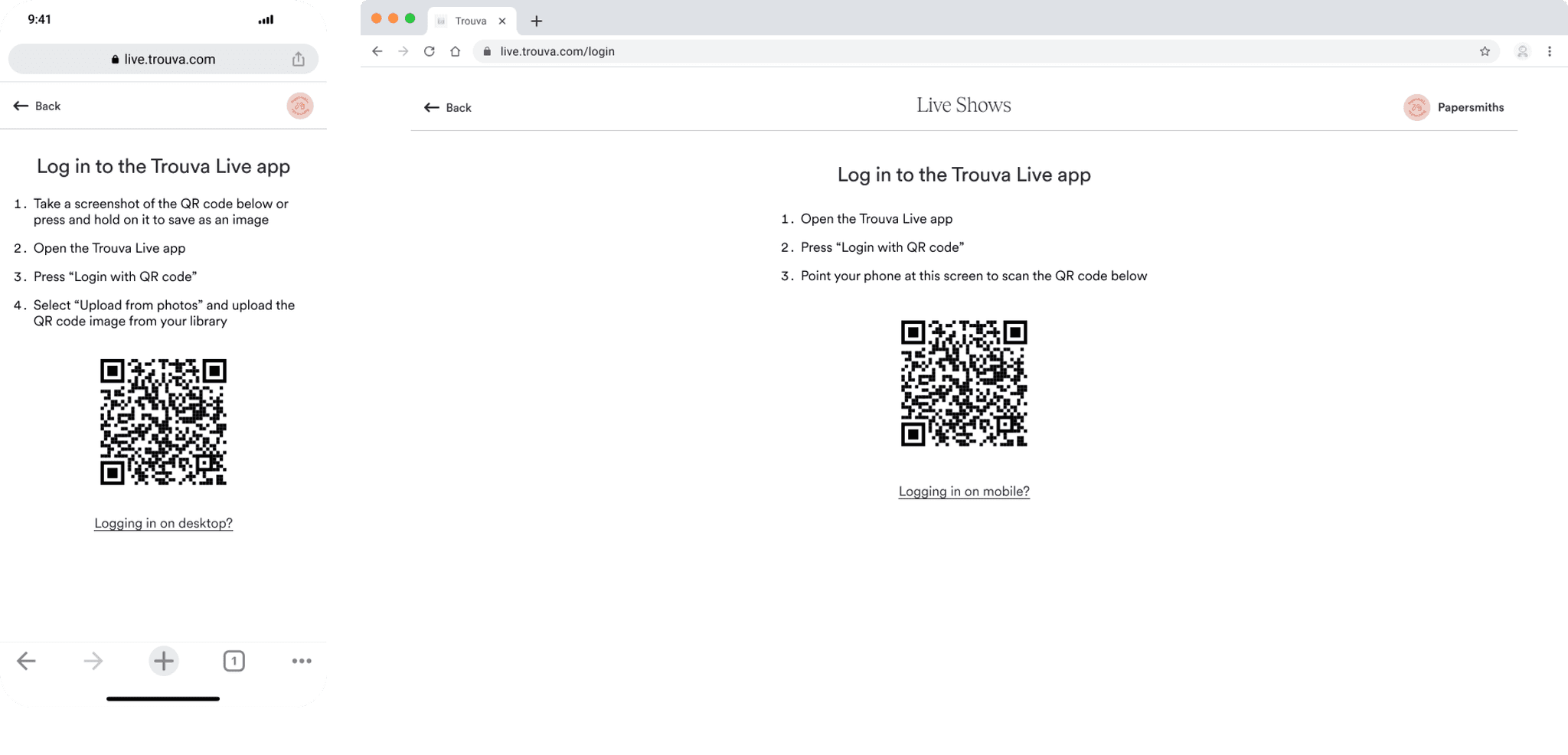
QR code login for quick access.
“Do Not Disturb” reminders to prevent stream interruptions.
Optimised video settings for reliability on mobile data.
Dark mode and filtering for usability.
Once validated, the app was launched publicly for boutiques and creators to begin testing.

Understanding host needs
Boutiques and creators were the primary live-show hosts. Interviews showed boutiques saw live shows as a way to increase visibility and speak directly to customers, while creators brought experience from other platforms and were motivated by community-building and curated product storytelling.
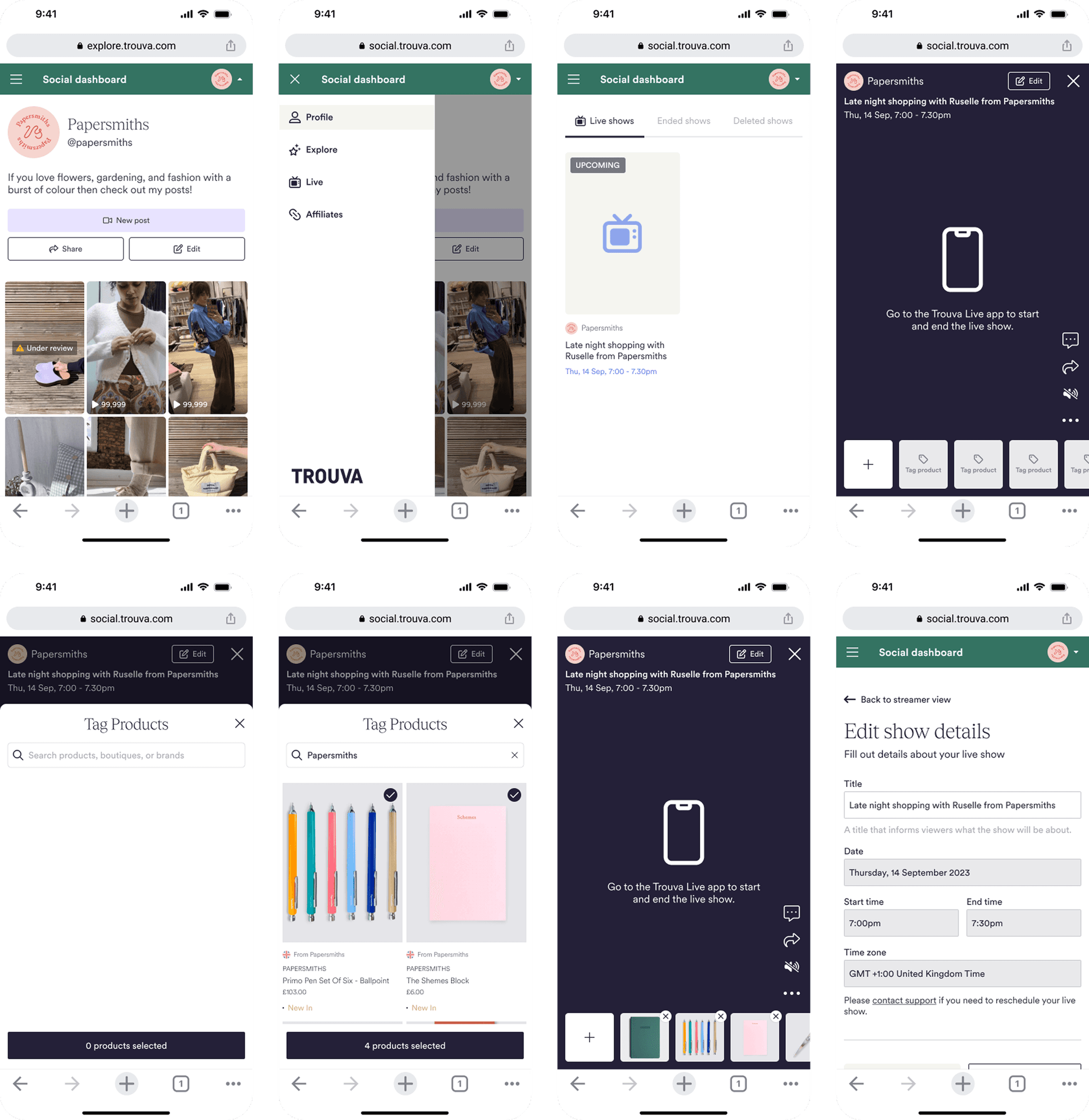
Across both groups, the core needs were simple: a place to set up and manage shows, easy product tagging, flexible scheduling, and a mobile app for streaming.
Designing an integrated experience
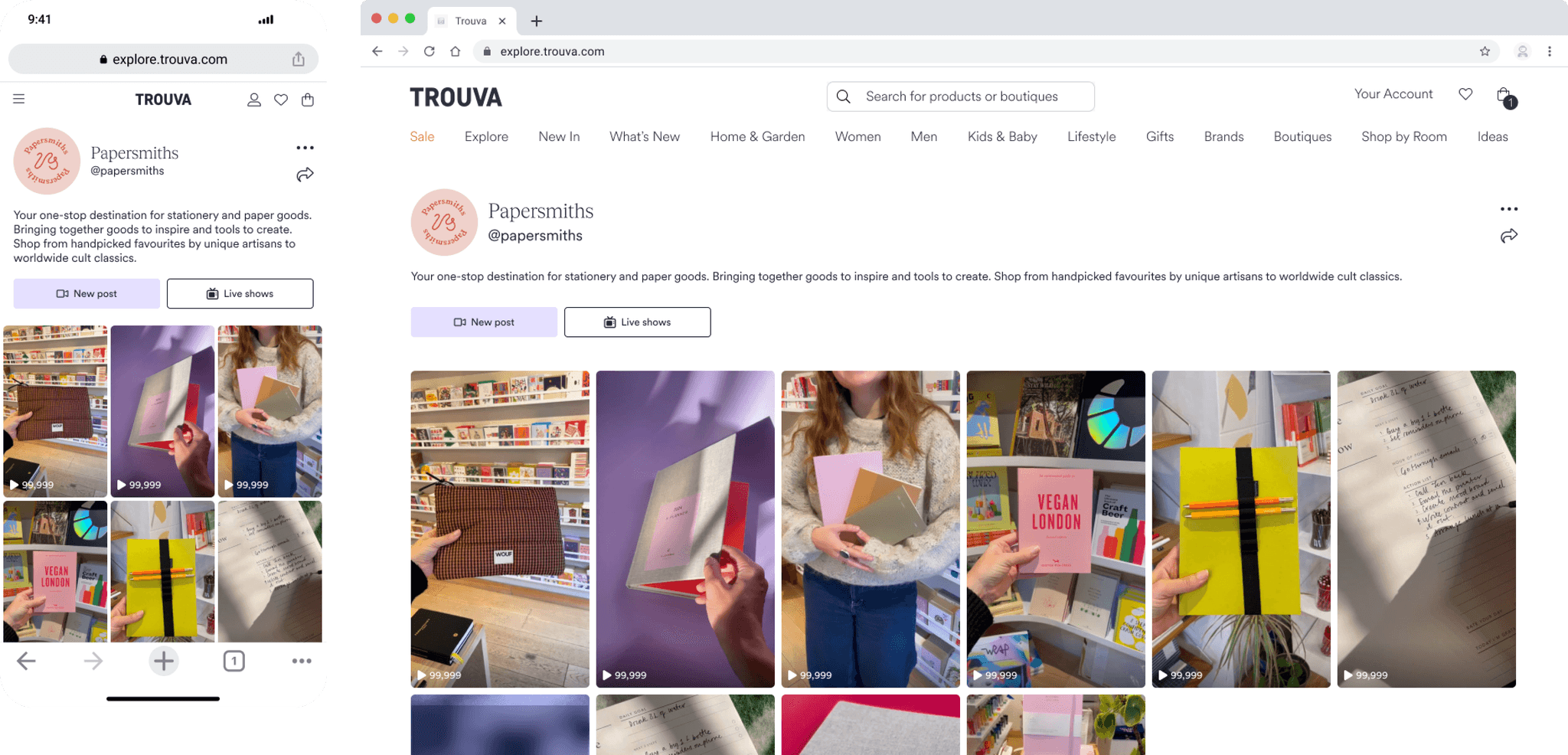
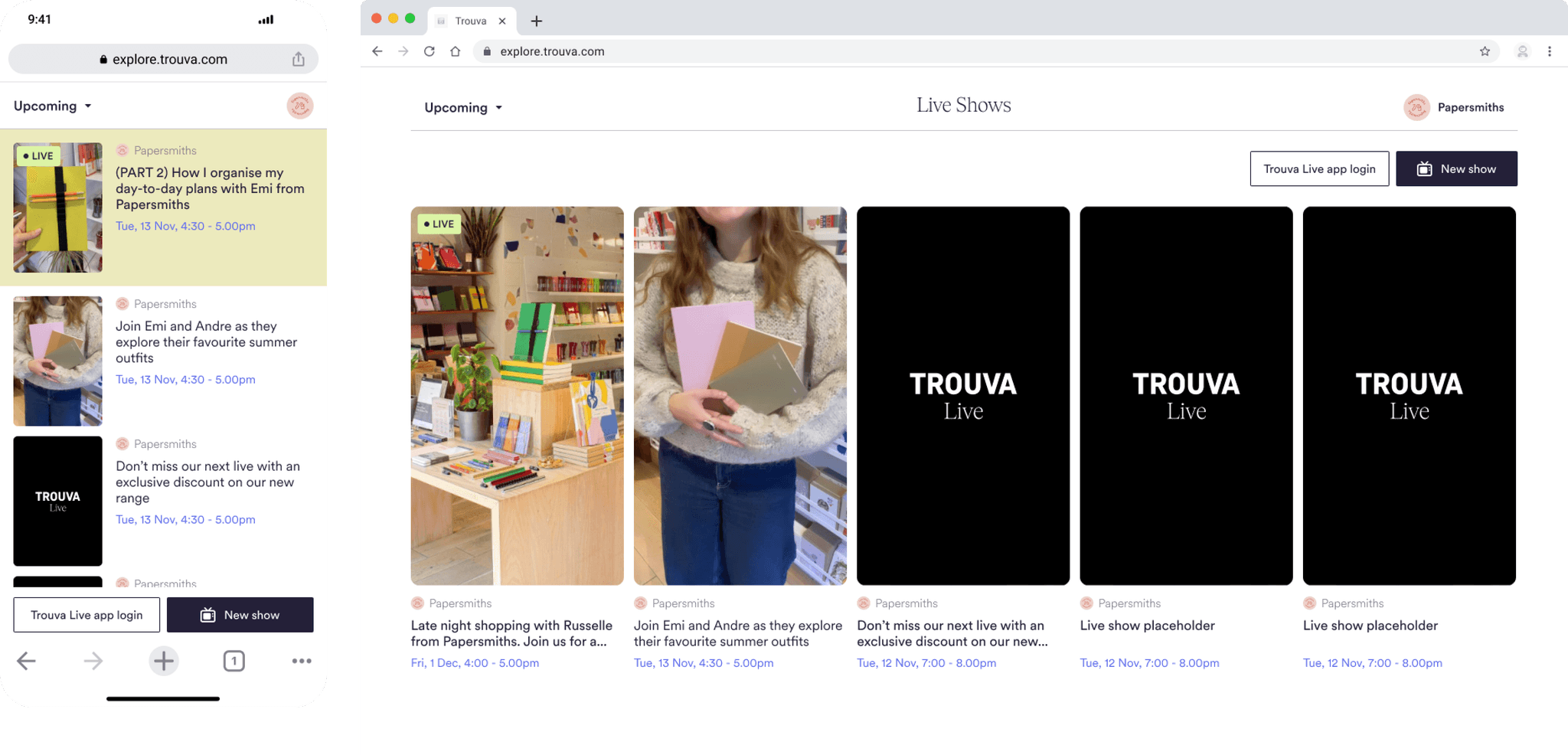
A standalone “Social Dashboard” initially explored proved too complex. I simplified the experience by integrating live shows directly into each host’s existing social profile — creating one clear entry point for both boutiques and creators.
The creation flow mirrored the short-video posting experience, especially product tagging, to minimise friction and make setup instantly familiar.

Testing & iteration
Through early MVP testing, we refined:
Faster product-tagging
Clearer show-status indicators
A smoother transition from web setup to mobile streaming
Guardrails to prevent incomplete or accidental publishing
Hosts responded positively to the unified, predictable flow, making onboarding quick and adoption high.
Understanding shopper needs
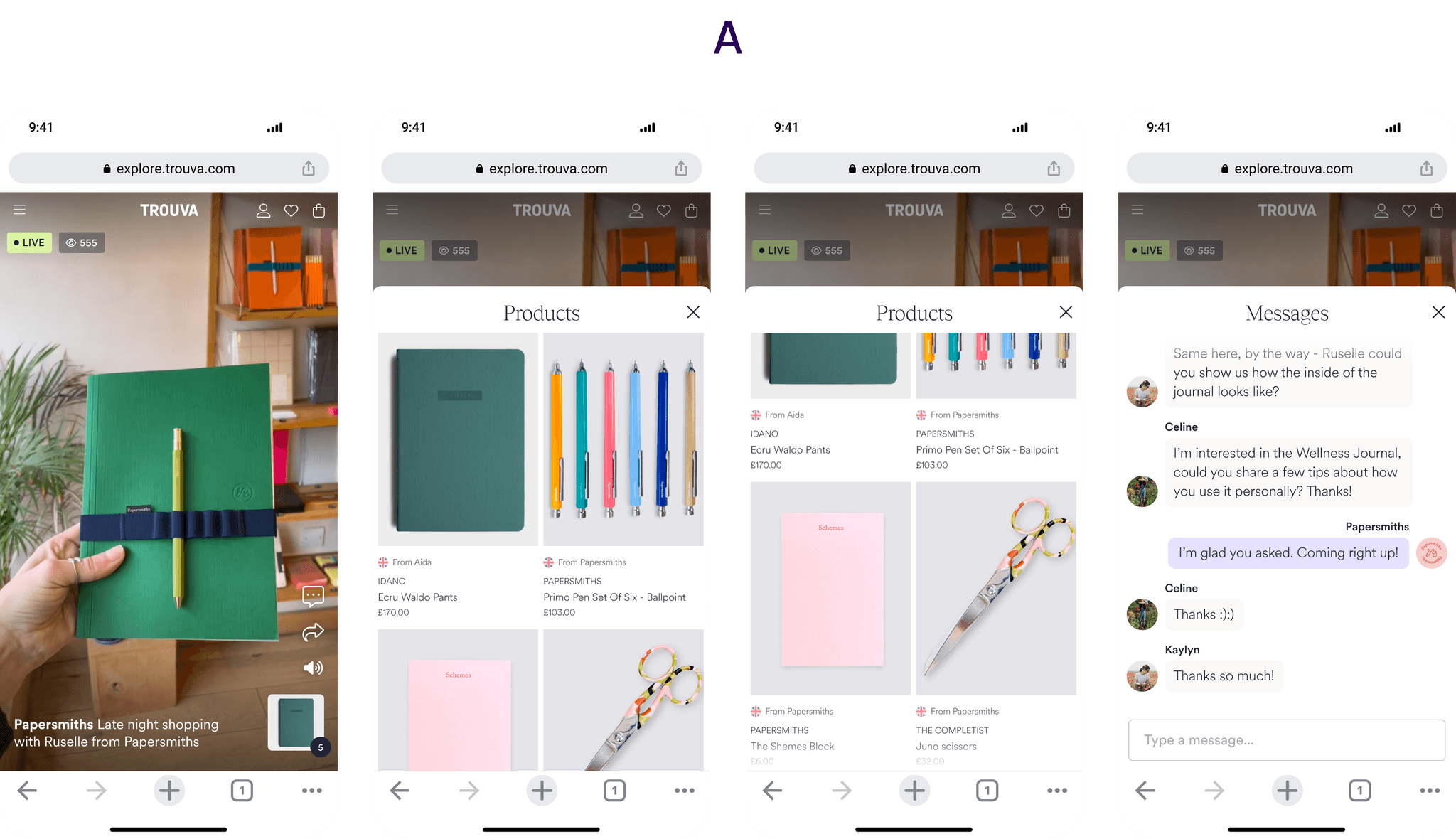
Shoppers were the primary audience for live shows, engaging almost entirely through mobile devices and often discovering products via social links. Interviews confirmed four core needs: clear entry points into live events, visibility of featured products, the ability to shop without interrupting the stream, and quick access to past shows.
Designing a mobile-first experience
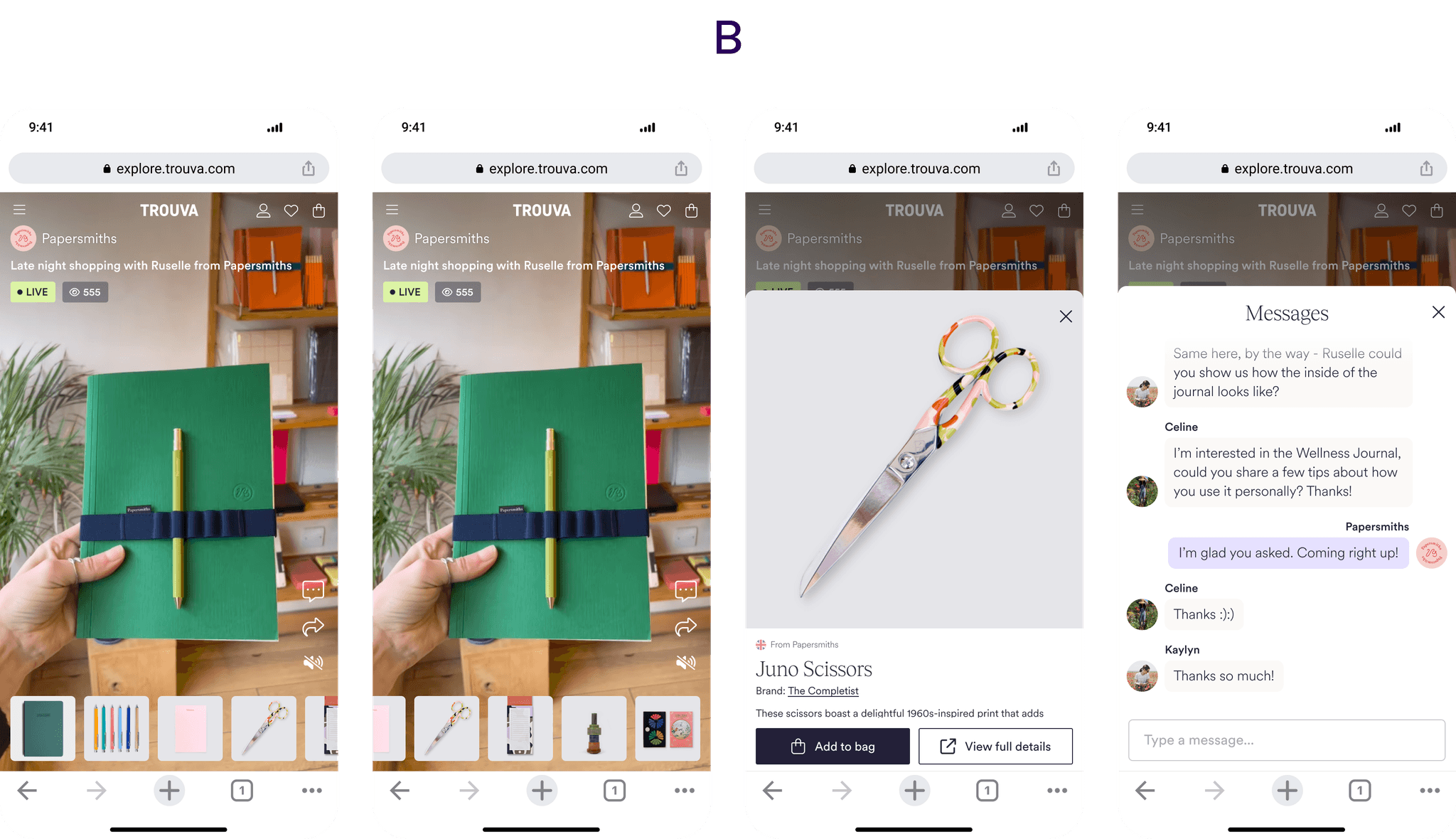
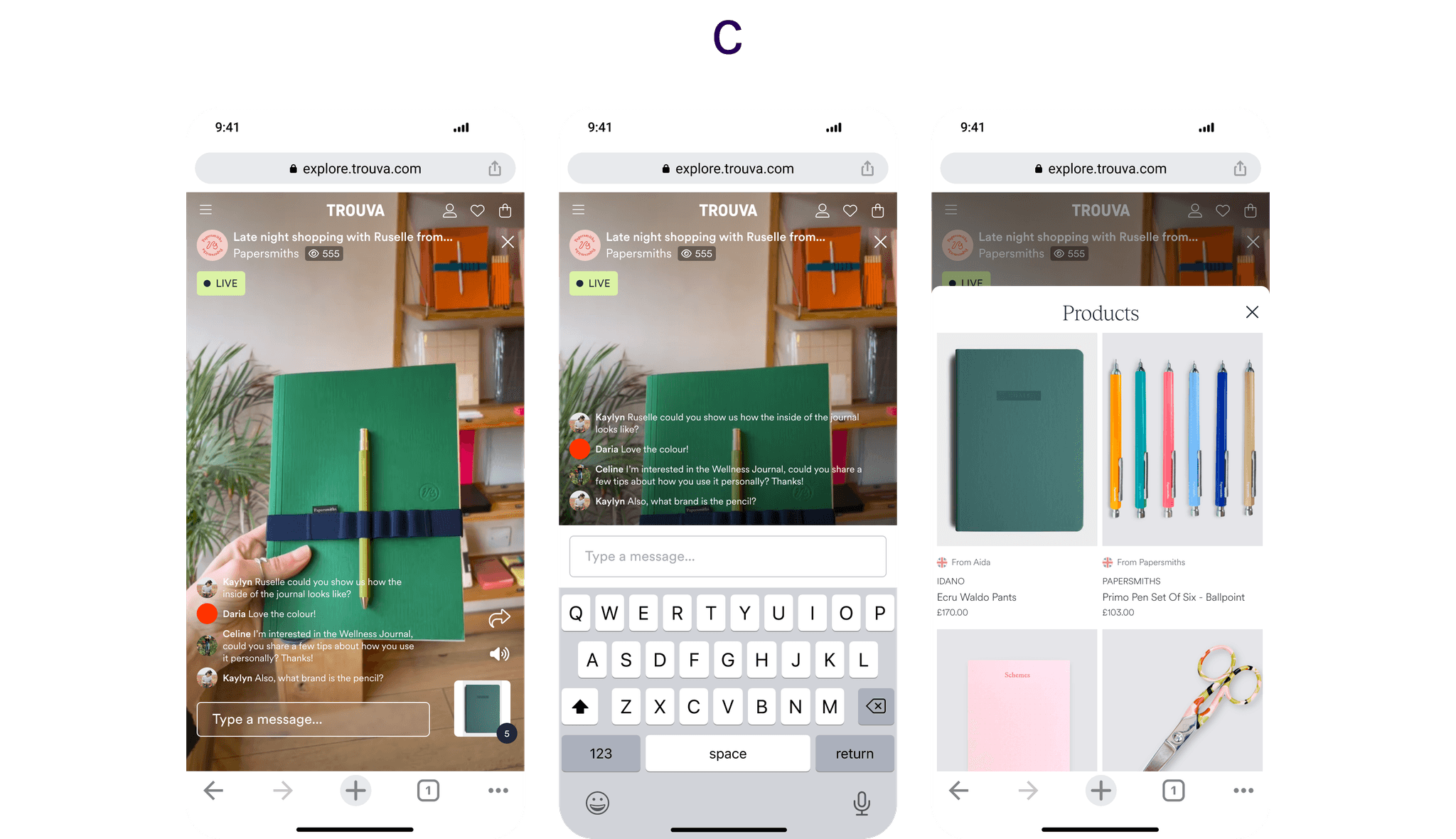
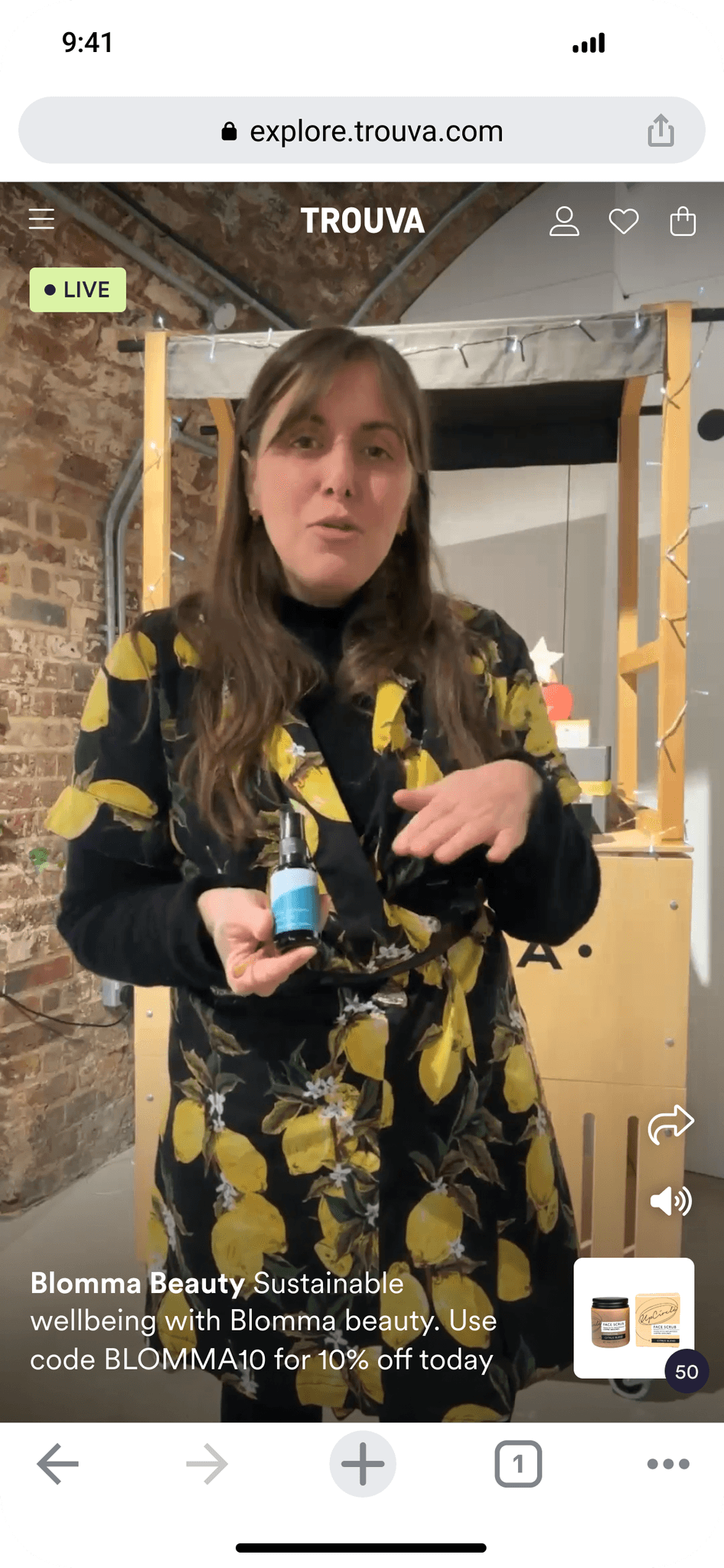
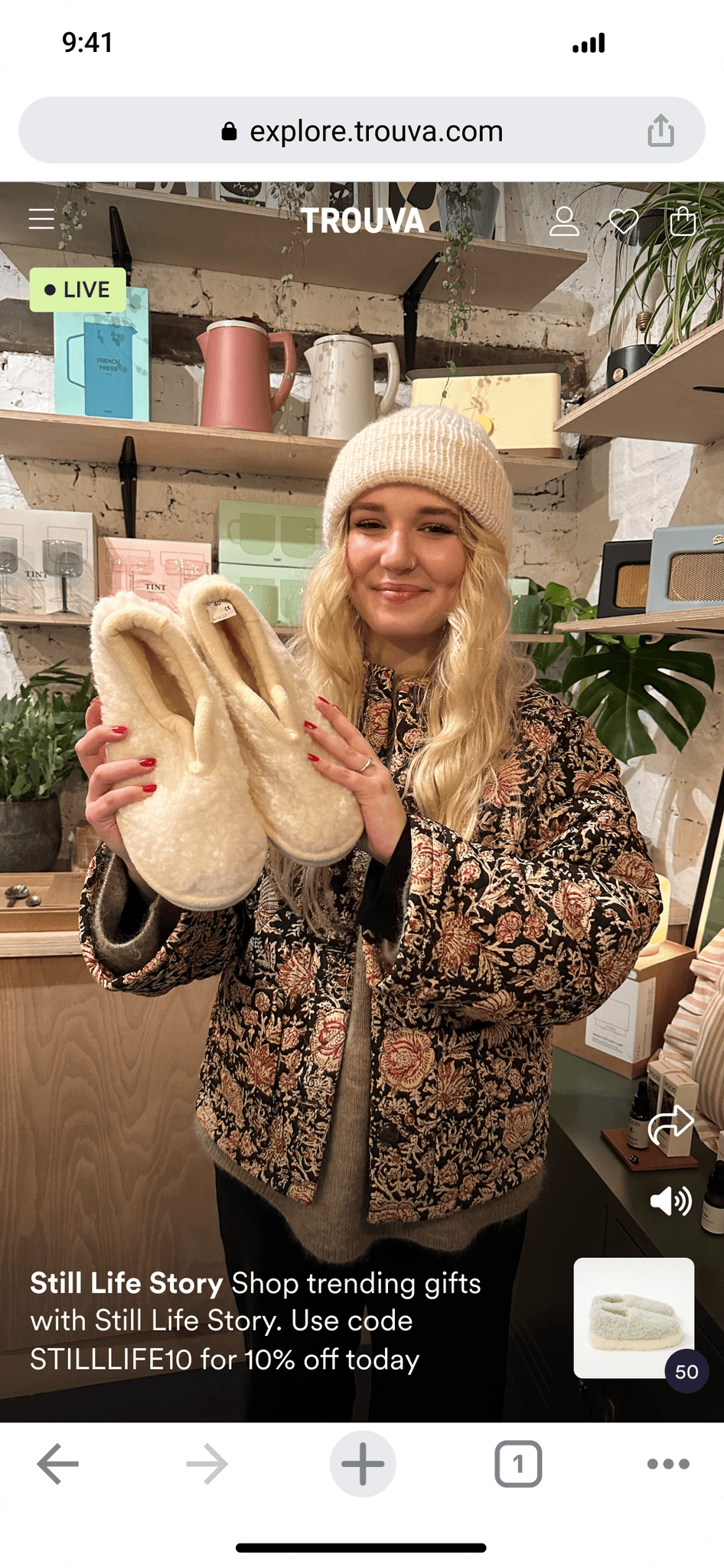
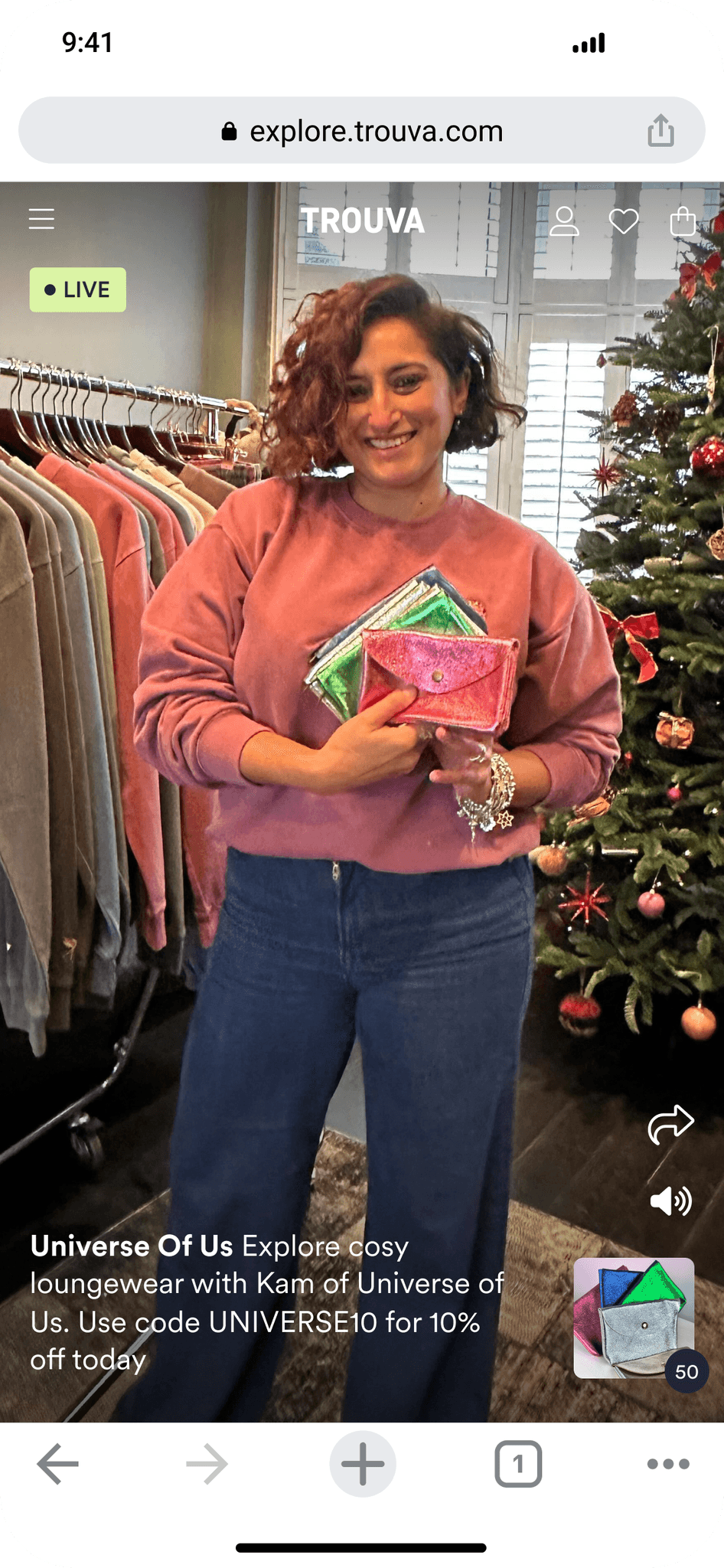
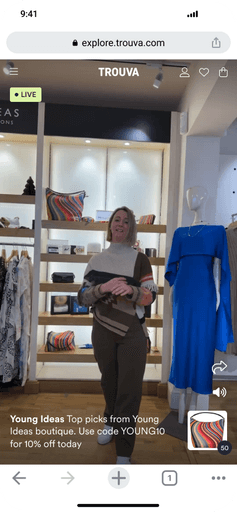
I mapped competitive patterns across major social and live-shopping platforms to understand best practices for product visibility, shopping overlays, and interaction models. From this, I explored three UI directions—from maintaining the existing short-video layout to more product-forward or interaction-heavy variations. For speed to market, we chose Option A, which aligned with the short-video feed and allowed seamless browsing while keeping the show running in the background.
Making live shows discoverable
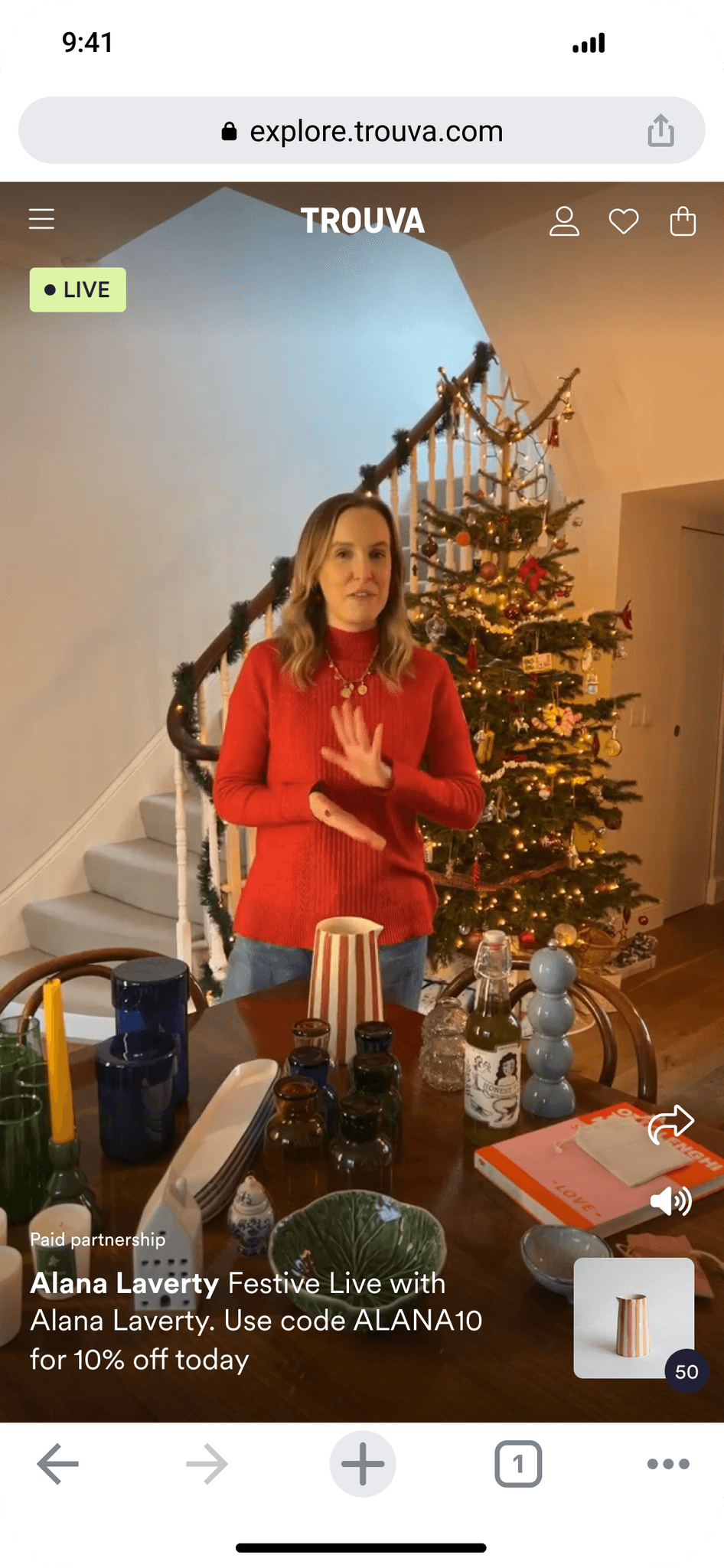
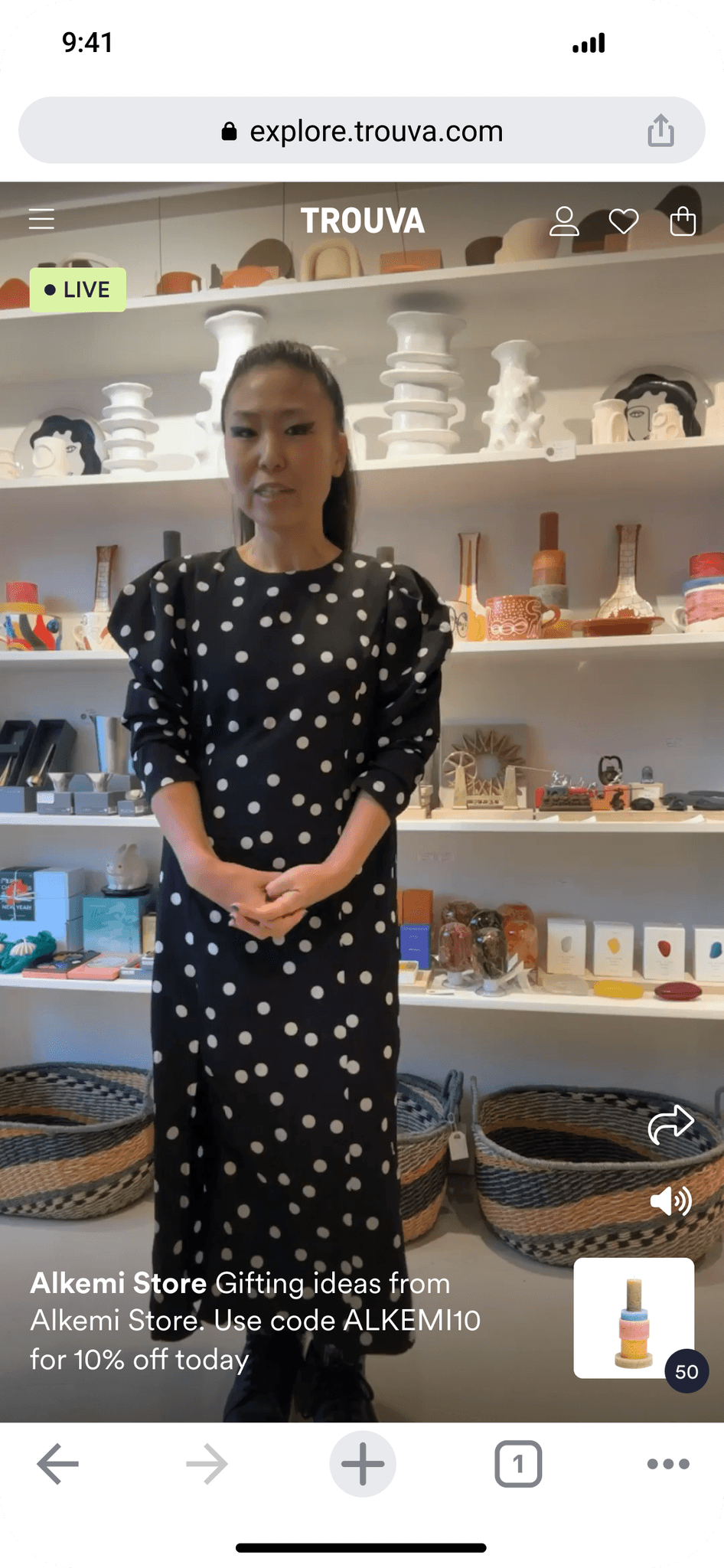
To help shoppers find active shows naturally as they browsed Trouva, I explored multiple entry-point concepts across navigation and on-page placement. The preferred solution was a floating live-show widget that autoplayed (muted) and could be expanded, muted/unmuted, or dismissed. A simple cookie-based rule ensured it wouldn’t reappear once closed, balancing visibility with respect for the shopping experience.

We hosted 9 live shows with creators and boutiques, testing real user behaviour and technical performance.
Key learnings led to new features:
Duplicate Show — quickly recreate events for testing or replays.
Edit Replay — update tagged products or content post-show.
Privacy Controls — allow hosts to create “test shows” visible only to admins.
Hosts praised the simplicity of the QR login and show setup process — validating the MVP’s usability.
Building on the MVP success, I designed future-phase concepts
In app creation
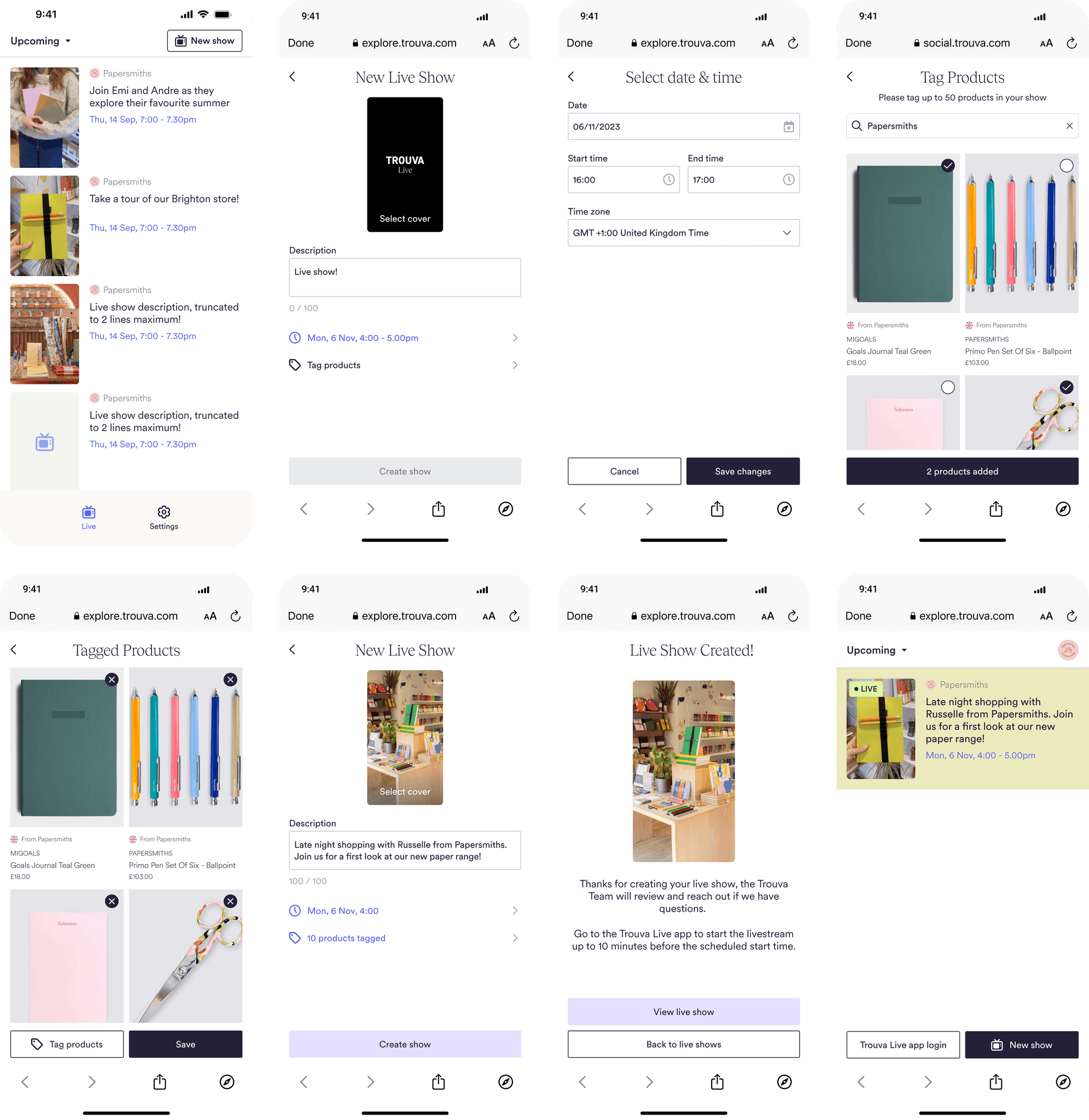
To make the show creation process more efficient, I worked on a concept where a live show could be created from within the iOS app. To simplify the build, I proposed opening the web browser with the live show creation form instead of building it directly within the app. This would allow users to quickly create a live show and start the stream within minutes.
Show teaser
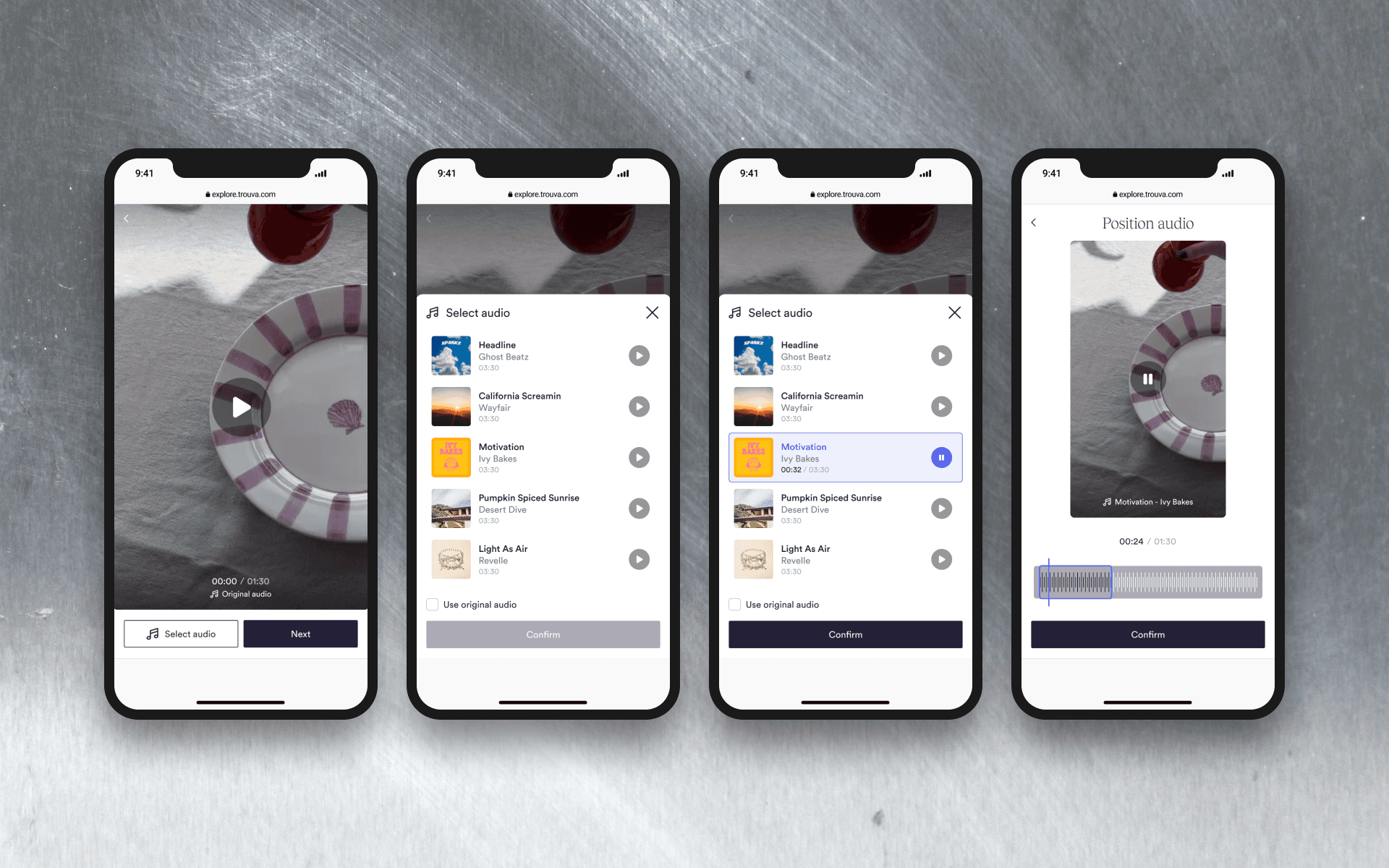
To create interest in a live show, we explored how a user could upload a teaser which would feature in the explore video feed. I created wireframes that followed the same user flow of creating a video post and adding music on top.

Impact & Reflection
By designing Trouva Live end-to-end, we:
✔ Validated live shopping as a scalable social commerce channel.
✔ Delivered a cohesive multi-user system spanning web and iOS.
✔ Balanced MVP speed with a foundation for future growth.
This project showcased my ability to design complex, multi-stakeholder systems — translating strategic goals into cohesive, shippable user experiences.